HR & Talent Programme Management Software
Submit.com talent programme management software runs application-based HR programmes, from graduate intakes and fellowships to leadership and internal mobility schemes. Collect applications and nominations, coordinate assessors at every stage and keep participant records in one secure system that works alongside your HRIS and ATS.
Trusted by Leading Organisations










Talent Programmes Outgrow the Tools Built for Everyday HR
Graduate intakes, fellowships, leadership schemes and internal mobility rounds share the same pressures: a fixed application window, several assessment stages, panel members outside HR and a cohort that needs following up after selection. Run on spreadsheets, email and shared drives, that work becomes slow to manage and hard to evidence.
Spreadsheets Break Under Pressure
When hundreds of applicants move through several stages, a spreadsheet becomes a liability: version conflicts, manual errors and no record of who changed what. One wrong formula can undermine a whole shortlist.
Email Chains Create Chaos
Panel members score from their inboxes, applicants chase updates and Human Resources forwards documents by hand. Fragmented email trails slow every stage and make it hard to show how a decision was reached.
Admin Is Eating Your Strategic Time
Manual screening, copying data between systems, chasing approvals and sending individual updates leave little time for the work that improves a programme: designing criteria, briefing panels and supporting participants.
What Is Submit.com Talent Programme Management Software?
Talent programme management software runs the programmes people apply or are nominated for:
- Graduate and early careers intakes
- Internships
- Fellowships
- Leadership development cohorts
- Internal mobility and secondment rounds
It manages the application window, eligibility screening, staged assessment, panel scoring, selection and the participant records that follow.
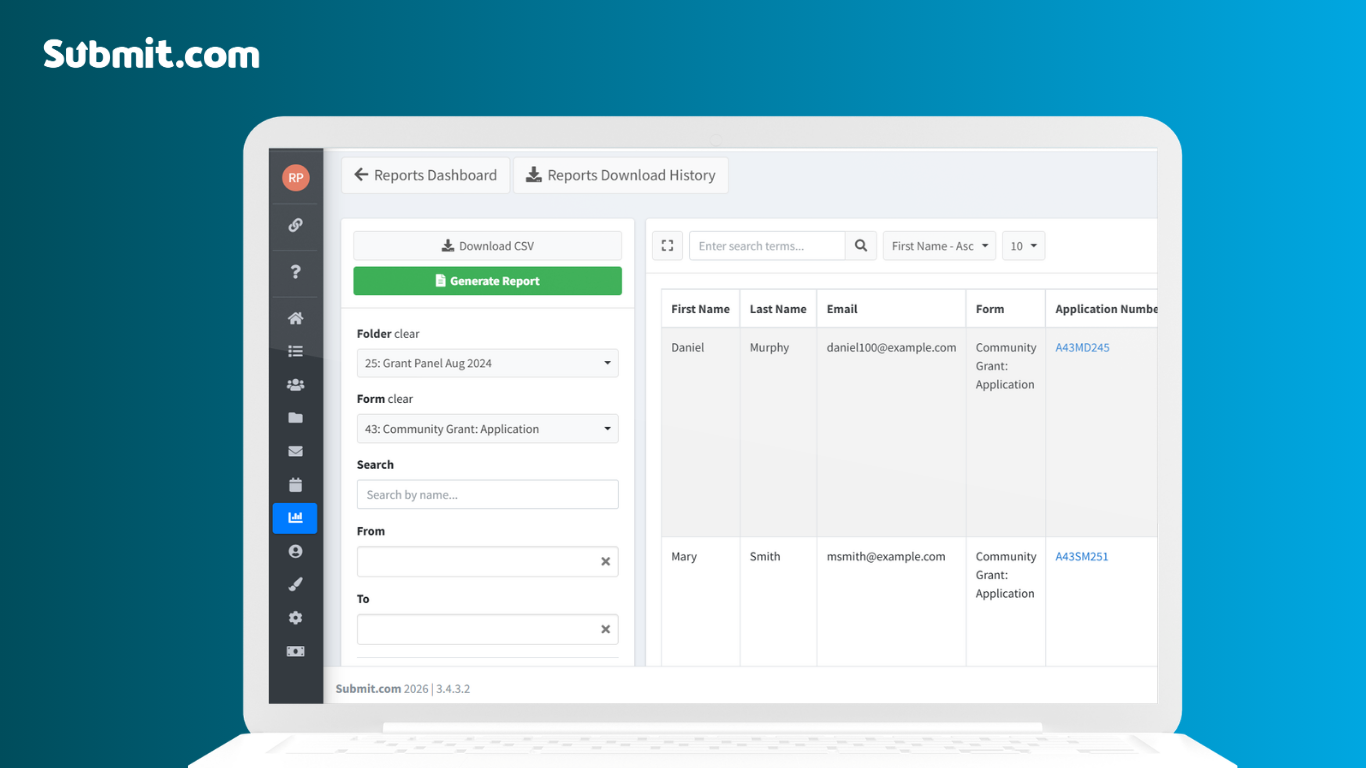
How does it work?
Submit.com talent programme management software brings that whole process into one secure, configurable, cloud-based system, replacing spreadsheets, email and shared drives.
It works alongside your applicant tracking system (ATS) and human resources information system (HRIS) rather than replacing them.
- GDPR compliant
- SOC 2 Type 1 and Type 2 certified
- Cyber Essentials certified
- Listed on the UK government’s G-Cloud framework
How Talent Programme Software Differs From an ATS and an HRIS
Talent programme software is often confused with the two systems most HR teams already own. Each does a different job:
- An ATS manages vacancy-based hiring: requisitions, job adverts and candidate pipelines for individual roles.
- An HRIS holds the employee record: contracts, pay, absence and organisational structure.
- Talent programme management software manages the deadline-driven application, assessment and selection process for a programme, plus the participant records that follow it.
Submit.com is not positioned as a replacement for either system. Your HRIS stays the system of record, and the Submit.com API and webhooks can pass decisions and participant data to it where an integration is built.
Run Graduate, Internship, Fellowship and Leadership Programmes
Talent programmes differ in who applies and what happens after selection, but most need the same building blocks: a well-structured application, eligibility rules, more than one assessment stage, a panel, and follow-up with the people chosen. Submit.com graduate programme management software, Submit.com fellowship management software and Submit.com internal mobility programme software are the same platform, configured to each programme’s rules rather than bought as separate products.
Talent programme types and workflow requirements. Typical patterns only; your programme design may differ.
| Programme type | Who applies and how | Typical assessment pattern | What happens after selection | Submit.com capabilities that fit |
|---|---|---|---|---|
| Graduate and early careers intakes | External graduates and final-year students apply to an open call with a fixed closing date, often by stream or location | Eligibility screen, auto-scored questions, recorded video answers, then assessment panels | Offer acceptance, onboarding information and start-date documents | Smart forms, auto-score and auto-tag, video recording questions, multi-phase submissions, group messaging |
| Internships and placements | Students or career changers apply to a call, usually choosing a team, discipline or site | Shortlisting by stream, then interviews with the hosting managers | Placement agreements and end-of-placement feedback | Auto-tagging into folders per hosting team, external reviewer access, signature questions, follow-up phases |
| Fellowships | Early-career professionals or researchers, internal or external, submit a proposal with supporting documents | Expert panel scoring against weighted criteria, often followed by interview | Fellowship agreement, progress reports and a final report | Weighted score bars and score-bar groups, external reviewers, office-use summary forms, reporting phases |
| Leadership development schemes | Current employees are nominated by a manager or apply with a manager’s endorsement | Panel review against a leadership framework or capability model | Cohort confirmation, development check-ins and completion evidence | Invite-only forms, nomination forms, co-signatory endorsement, score bars, check-in phases |
| Internal mobility and secondment rounds | Current employees apply to a set of internal opportunities during a defined window | Consistent shortlisting, sometimes with identifying details hidden | Outcome messages and hand-off to the receiving manager and HRIS | Single sign-on, hide-in-folder redaction, anonymisation, role-based permissions, API and webhooks |
On a small screen, scroll the table sideways to see every column.
Employee idea challenges and innovation calls follow a similar pattern. They are covered on the Innovation and Impact Initiatives page.
Cohort Eligibility
Eligibility is easiest to manage at the point of application. Submit.com handles it in three steps, so your team only reviews applicants who qualify.
Screen as they apply
Eligibility pre-screening questions and branching logic mean applicants only see the questions that apply to them.
Close ineligible applications
If an answer rules someone out, auto-reject closes the application and sends a clear, branded notification, so nobody screens ineligible applications by hand.
Sort the eligible cohort
Auto-tagging sorts eligible applicants by the answers that matter to the cohort, and can send each tag to its own folder.
Example tags
- Stream
- Location
- Grade
- Start date
Internal programmes
Forms can be set to invite only, so they never appear on your public page.
Your rules, applied consistently
Your organisation defines the eligibility rules and remains responsible for keeping them lawful and consistent with policy. Submit.com applies those rules the same way to every applicant.
Everything HR Teams Need to Run Talent Programmes at Scale
Application and Nomination Intake
Build branded, mobile-friendly application and nomination forms with eligibility questions, branching logic, file uploads and video recording questions. Auto-reject and auto-tagging screen and sort applicants as they submit.
HR benefit: Less manual screening and a clearer experience for applicants and nominees.
Multi-Stage Assessment and Panel Review
Move applicants through several phases on one record. Weighted score bars, score-bar groups, scoring notes and folder-level reviewer access keep every panel consistent, including external assessors.
HR benefit: Consistent, evidenced shortlisting at every stage.
Participant Communications and Reporting
Send outcomes and updates by tag, status or score, collect onboarding and check-in forms from selected participants, and export programme data to CSV, Excel or PDF.
HR benefit: Fewer manual follow-ups and programme data ready for leadership reporting.
Security, Compliance and Integration
Role-based permissions, multi-factor authentication, single sign-on options, full audit trails and configurable data retention. A REST API and webhooks pass decisions and participant data to your HRIS or ATS.
HR benefit: Controlled access to sensitive data and a clear route into your existing systems.
Application and Nomination Workflows
The application is the first impression your programme makes, and the source of every piece of data you assess later. Get the form right and every later stage is easier.
Smart Online Forms
Submit.com smart online forms are built without code.
- More than 30 question types
- Branching logic, so applicants only see questions that apply
- File uploads and links to cloud-hosted media
- Save and resume, with a progress indicator
- Your branding on a custom domain
Video and Assessment Questions
Video recording questions
Applicants record an answer inside the form:
- Step 1Applicants make a practice recording
- Step 2The question stays hidden until they reveal it
- Step 3Recording starts 30 seconds after the reveal
You set a time limit and decide whether a second attempt is allowed.
Video brief questions
These work the other way round: you upload a video, up to 250 MB, to introduce the programme or explain a task before applicants answer.
Tip: many teams place video questions in a second phase so that the first stage stays short and quick to complete.
Nominations and Manager Endorsement
Leadership and high-potential schemes often start with a nomination rather than an application. Submit.com supports both routes.
Nomination form
A manager or colleague completes the nomination on the nominee’s behalf.
Self-application with endorsement
A verified signature question requires between one and five co-signatories, such as a line manager and a head of department. Each receives an email asking them to review the application and sign.
Languages and Accessibility
Forms, emails and messages can be presented in more than one language. The Submit.com localisation feature uses AI translation that a human can review before publishing, and applicants choose their language when they arrive.
Published options include
- Irish
- Welsh
- Polish
- French
Languages are enabled per workspace by the Submit.com team, so confirm the current list for your programme. Forms are built with accessibility best practices; check specific standards against your own requirements during evaluation.
Multi-Stage Assessment and Reviewer Coordination
Most talent programmes narrow a large field in stages. With multi-phase submissions, one application record carries each applicant from the first application into every later phase.
Example: how the field narrows across phases
- 1. Initial application
- 2. Video stage
- 3. Written task
- 4. Interview
Invite by phase
Invite shortlisted applicants to the next phase; each phase has its own invitation email template.
Flexible routing
Move an applicant past a phase where your process allows.
One record throughout
Earlier answers and scores stay with the applicant at every phase.
Automated Screening Before People Review
Automation handles the first pass, so reviewers spend their time on applicants who meet the threshold.
Auto-score
Gives each answer a value against your criteria as applicants complete the form, producing a ranked list before manual review begins.
For example, a relevant postgraduate qualification can score higher than a bachelor’s degree.
Auto-tag
Routes applications by their answers, for instance into a folder for each stream or region.
Auto-reject
Closes applications that fail an eligibility rule and sends a clear, branded notification.
Assessor Panels
Reviewers work in folders. You share a folder with a panel, and role-based permissions control what each person can see and do, at account, form and folder level. Managers, partner organisations and external experts can join as external reviewers, limited to their assigned folders.
Score bars set the criteria, maximum score and weighting, and can require a note to justify each score. Score-bar groups keep shortlisting and interview scoring on the same record.
| Criterion | Out of | Weighting | Note required |
|---|---|---|---|
| Score-bar group 1: Shortlisting | |||
| Relevant experience | 10 | Double | Yes |
| Motivation for the programme | 10 | Standard | Yes |
| Score-bar group 2: Interview | |||
| Communication | 10 | Standard | No |
| Problem solving | 10 | Double | Yes |
Office-use forms
A structured summary for each applicant, written by your team: an executive summary for a committee or a script for a phone interview.
Score reports
Scores by reviewer and by criterion, exported to CSV, so you can check consistency, produce a ranked list and evidence each decision.
Fairer Review
Any question can be hidden when an application is viewed in a reviewer folder, and data can be anonymised for review.
In practice
Meath County Council’s HR team uses folder redaction to remove contact details from shortlisting packs, a task that was previously done by hand on printouts.
What it does not do
Standardised criteria and redaction reduce room for inconsistency. They do not remove bias on their own, so criteria design and panel briefing still matter.
HRIS and ATS Integration, Security and Global Programmes
Integration
The API at a glance
- Format
- REST API returning JSON. See the Submit.com API page.
- Authentication
- Token-based, over HTTPS
- Export
- Paginated and batch
- Events
- Webhooks for event-driven updates
- Low-code
- Zapier, Make or Power Automate, for teams without developer time
Data you can sync
- Applicants and team users
- Programmes and rounds
- Panels and reviewer assignments
- Form answers and files
- Statuses and tags
- Scores and decisions
Confirm connector scope early. A named, pre-built connector for a specific HRIS or ATS should not be assumed. Bring the system name and the fields you need to a demo.
Security and Data Protection
Programme data often includes personal details, diversity information and assessment notes, so access control matters as much as encryption. The Submit.com Security and Compliance page sets out these controls:
| Control | What it covers |
|---|---|
| Encryption and backups | Encryption in transit and at rest, including uploaded files, with daily database snapshots and real-time replication. |
| Access control | Role-based permissions, configurable session timeouts, strong password rules and multi-factor authentication. |
| Single sign-on | Google, Microsoft, LinkedIn or Facebook accounts, with SAML-based enterprise single sign-on on request. Options depend on your plan. |
| Audit trails | A full record of submissions, reviews, decisions and administrator actions. |
| Privacy and retention | A privacy dashboard for your privacy statement, the categories of personal data you collect, and configurable retention and deletion. |
Security is shared
Global and Multi-Region Programmes
Separate by region
Separate forms, deadlines and folders for each region or site.
Regional panels
Permissions keep each regional panel to its own applicants.
One set of standards
With language options and branded portals, a central team keeps one standard while local teams run selection.
Built for the HR Programmes That Matter Most
Submit.com is built for HR and talent teams managing:
->Graduate and early careers recruitment: Handle high-volume applications with eligibility screening, auto-scoring and panel scoring.
->Internships and placements: Sort applicants by team, discipline or site, and give hosting managers access to their own shortlist.
->Fellowships: Score proposals against weighted criteria with expert panels, then collect progress and final reports.
->Leadership and development schemes: Manage nominations, manager endorsements and cohort selection for leadership pipelines.
->Internal mobility and secondment rounds: Run invite-only rounds for staff, with consistent shortlisting and optional redaction of identifying details.
->Diversity and inclusion initiatives: Standardise criteria and hide identifying details from reviewers to support fairer, more consistent selection.
->Innovation and idea submission programmes: Collect, evaluate and progress employee ideas over several rounds.
->Multi-region and multi-stage campaigns: Manage separate regions, deadlines and review panels in one platform.
Browse Customer Stories->
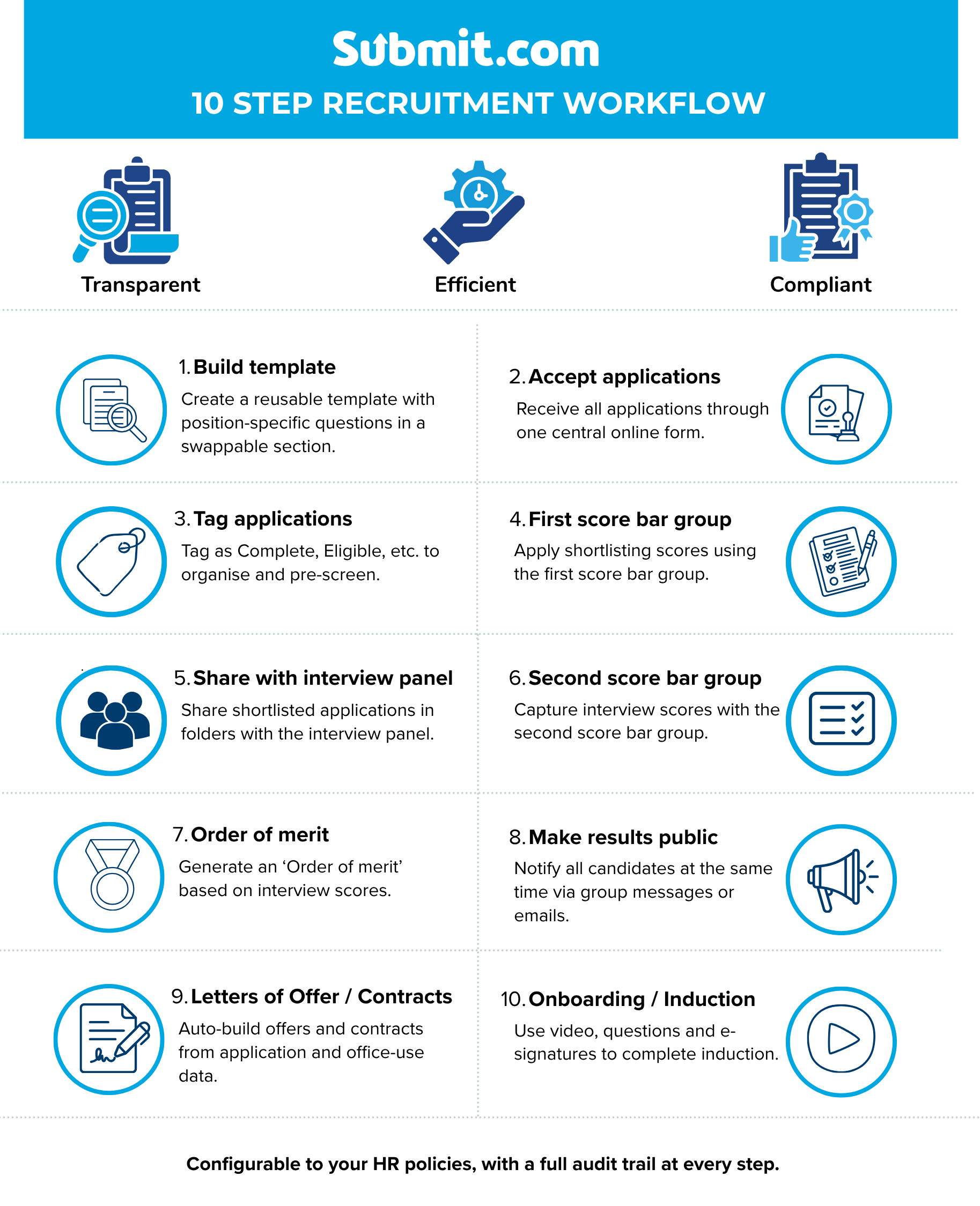
How Submit.com Works for HR Teams
Build your application portal
Configure your branded intake form with eligibility rules, document uploads, and conditional questions. Go live in days, not weeks.
Applicants apply through a clear, guided experience
Applicants and nominees complete a mobile-friendly form that saves their progress. Automated confirmations and status updates keep them informed.
Reviewers score and compare applicants
Panel members see only the folders assigned to them. Weighted score bars, scoring notes and side-by-side comparison keep shortlisting consistent across every stage.
Make and communicate decisions
Advance, waitlist or decline applicants with every action logged. Send outcomes in bulk by tag, status or score, then invite selected participants to an onboarding phase.
Track participants and report on outcomes
Collect check-ins and completion evidence on the same record, report by cohort, stage or score, and pass agreed data to your HRIS through the API.
Explore features
How HR Teams Use Submit.com
Meath County Council’s HR function runs its recruitment competitions in Submit.com. Here is what changed when it moved off emailed Word templates.
It’s proven to be a huge resource saver from paper to time being able to view shortlist immediately and it leads to a faster turnaround time as the members can work remotely.
Before
- Candidates filled in a Word template and returned it by email
- Interview board members reviewed printed application packs
- Contact details were redacted by hand on printouts
With Submit.com
- Online applications for every competition
- Shortlisting inside the platform, with board members as external reviewers in shared folders
- Contact details hidden in reviewer folders
What the team reports
- Quick reports on requirements such as a full licence, which were easy to miss with the old Word documents
- Draft and complete counts, with how far each draft has progressed, to anticipate last-minute entries
- Reports ready to pull for senior management
Read the Meath County Council story or browse more customer stories.
Is Submit.com the Right Fit for Your Talent Programme?
Submit.com works best for programmes with a clear application window and a selection decision. Use this to decide quickly, including when another tool should lead.
A strong fit when
- Your programme opens a call or nomination window, then selects a cohort through more than one stage.
- Several people assess applicants, including managers outside HR or external experts who need limited access.
- You need a defensible record of who scored what, against which criteria, and how decisions were made.
- Selected participants complete onboarding forms, progress check-ins or completion evidence after selection.
- You run several programmes a year and want reusable forms, templates and reporting.
Another system should lead when
- Your main need is continuous, requisition-based hiring for individual vacancies with job board distribution.Better in: an applicant tracking system
- You want skills-based matching that recommends internal roles to employees.Better in: an internal talent marketplace
- You need to deliver courses, track learning hours or run appraisals.Better in: a learning or performance platform
- You need the employee record itself: contracts, payroll and absence.Better in: your HRIS
Some public bodies run competition-based recruitment in Submit.com, because a fixed closing date, a standard application form and a shortlisting board follow the same pattern as a talent programme. Continuous, high-turnover hiring for individual vacancies is usually better served by an applicant tracking system.
Questions to Settle Before Your Demo
Tick these off as you go. With answers in hand, the demo can show your real programme rather than a generic tour.
Recognised. Certified. Trusted.
Top Rated on G2


Certifications & Trust


Read verified G2 reviews->
Security & compliance ->
Frequently Asked Questions
What types of HR programmes can Submit.com manage?
Submit.com supports any HR programme built around an application or nomination, an assessment and a selection decision. Common uses include graduate and early careers intakes, internships, fellowships, leadership development schemes, internal mobility and secondment rounds, innovation programmes and competition-based recruitment.
Is Submit.com suitable for high-volume recruitment?
Can Submit.com integrate with our existing HRIS or ATS?
Yes. Submit.com provides a REST API with token-based authentication, batch export and webhooks, and the pricing page lists API access for HR, finance and CRM integrations. Applicant records, statuses, scores and decisions can be passed to other systems through the API or low-code tools. A named, pre-built connector for your system should not be assumed: bring your system and data requirements to a demo so the integration scope can be confirmed.
Can we restrict a programme to current employees?
Yes. Forms can be set to invite only, so they do not appear on your public page. Combined with single sign-on and role-based permissions, this lets you run internal programmes, such as secondment rounds or leadership nominations, for invited staff only.
Can line managers nominate or endorse applicants?
Yes, in two ways. You can build a nomination form that a manager or colleague completes, and you can add a verified signature question that requires between one and five co-signatories. Each co-signatory receives an email request to review the application and sign. Which approach suits depends on whether the nominee or the nominator should own the submission.
Can we shortlist without seeing personal details?
Yes. Individual questions can be hidden when applications are viewed in a reviewer folder, and data can be anonymised for review. Meath County Council uses this to remove contact details from shortlisting packs that were previously redacted by hand. Redaction supports fairer review, but criteria design and panel briefing still matter.
Is Submit.com suitable for UK and Irish public sector buyers?
Submit.com is listed on the UK government’s G-Cloud framework, is Cyber Essentials certified and lists SOC 2 Type 1 and Type 2 certification on its Security and Compliance page. Local authorities in Ireland and the UK use Submit.com, and Irish councils including Meath County Council run recruitment competitions on it. Your organisation remains responsible for its own data protection assessments and policy decisions.
How is Submit.com priced?
Submit.com offers Starter, Pro and Enterprise plans, and some capabilities, including single sign-on options, depend on the plan. For a price based on your programmes, volumes and integration needs, request a quote.
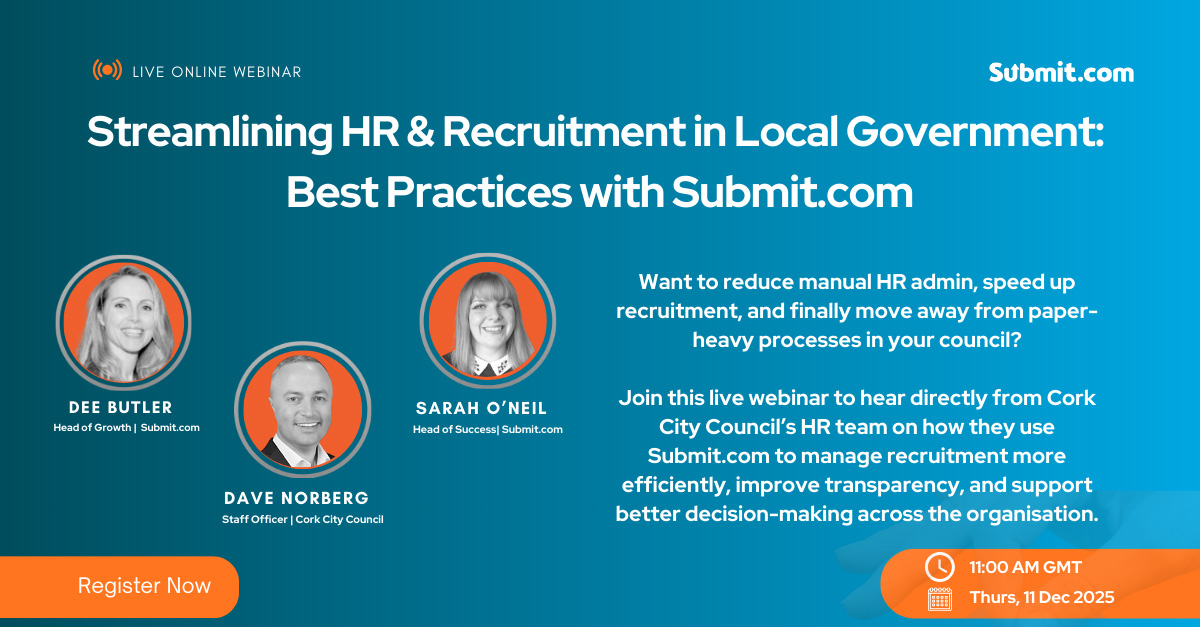
Watch Cork City Council's HR Team Move Recruitment Online
See how the council moved from PDF and email applications to one digital process, with a walkthrough of tagging, shortlisting, panel scoring, messaging and reporting.
Watch the Webinar