
What’s New in Submit.com: Seven Admin Features Coming Soon
 |
Dean Murphy Growth Marketing Specialist, Submit.com |
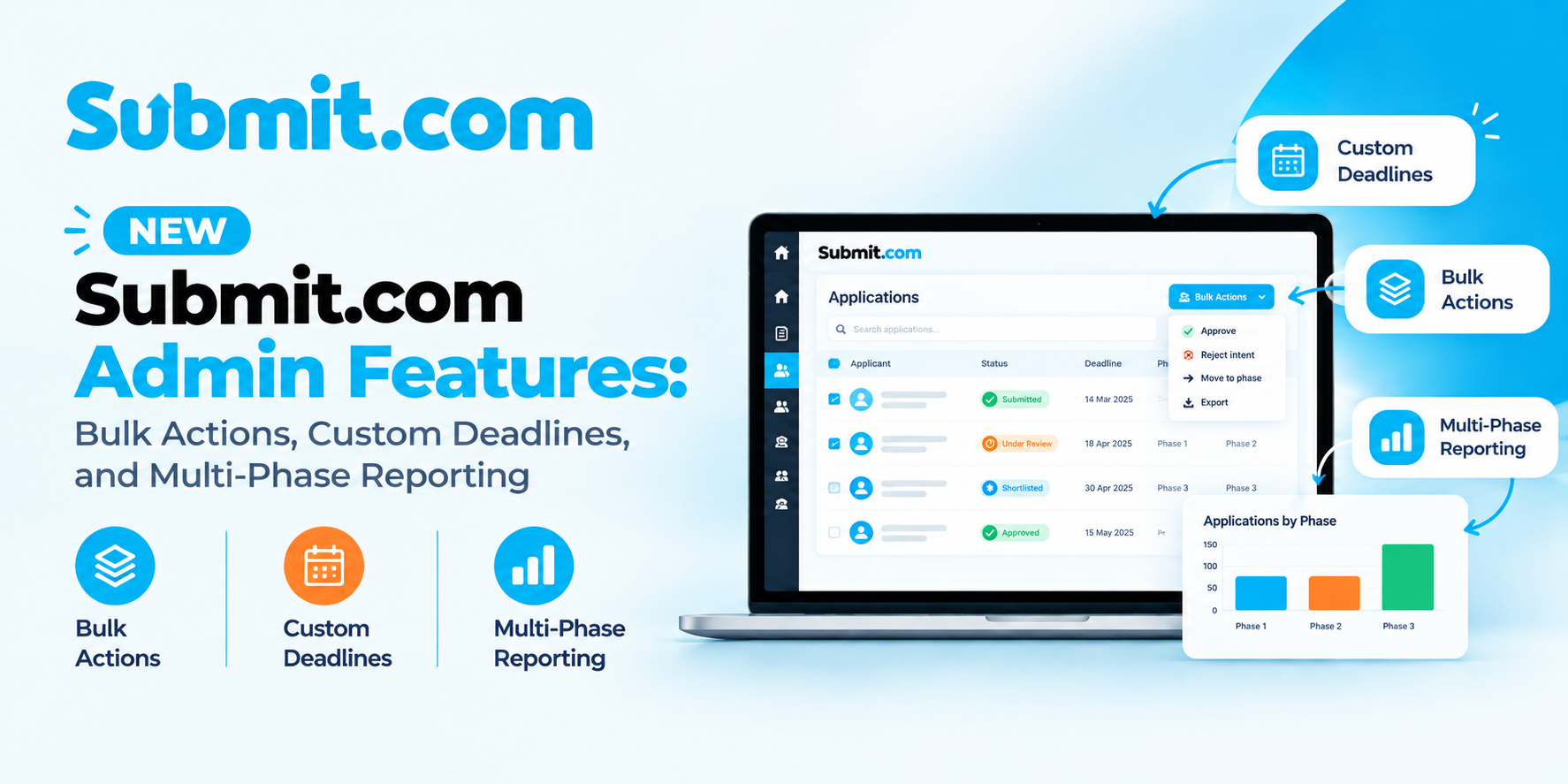
Seven new admin features are rolling out over the coming weeks in Submit.com: bulk application actions, individual applicant deadlines, tag management in Form Settings, an expanded Audit Search log, multi-phase custom reports, scheduled messages and AI auto-translation for forms. Most of the change sits on the admin side, so applicants keep the forms they know.
If you run a community grant scheme for a local authority, a university bursary or an awards programme, this release is aimed at the jobs that quietly eat an afternoon.
Rejecting a few hundred unsuccessful applications one at a time. Giving one applicant three more days without reopening the round for everyone. Stitching data from multiple phases together from three separate exports before a committee meeting. Now it’s one report, with whole tables pulled in at once.
Here’s what each feature does, where it helps, and the detail worth knowing before you use it on a live round.
What has changed at a glance
| Area | Before this update | Now |
|---|---|---|
| Application actions | Invite, reject, archive, tag or move to a folder one application at a time | The same actions applied to many applications at once |
| Deadlines | One closing date for everyone on a form | Individual deadlines for chosen applicants, with the main deadline unchanged |
| Tags | Managed within individual forms or through auto-tagging | A dedicated tag management window in Form Settings |
| Audit trail | Audit trail for submissions, reviews, decisions and admin actions | Audit Search also covers deadline changes, verification emails, contact edits, team and role changes, and deletions |
| Reporting | Exports one phase at a time, with table data added cell by cell | Several phases in one report |
| Messaging | Individual and group messages sent straight away | Messages scheduled for a set date and time, to a fixed or dynamic list |
| Translation | Multilingual forms in many languages, including Irish, Welsh, French, German, Spanish, Italian and Polish | AI auto-translation of full application forms within Submit.com |
How do bulk actions work in Submit.com?
Bulk actions apply one step to many applications at once. Filter the applications list, or tick applicants directly in the grid, then choose what to do with the selection.
You can invite the whole selection to the next phase, reject or archive it, move it into a folder for your reviewers, add, change or remove tags, or send everyone in it a message. For a two-stage fund, that turns “invite the forty shortlisted applicants to stage two” from forty separate clicks into one.
One habit worth keeping: check the selection count before you confirm, particularly for invitations and rejections. Those are the actions applicants notice, and a filter that is one tag too wide is much easier to catch before the click than after it.
Can you give one applicant more time without extending the round?
Yes. You can now set an individual deadline on a single application. That applicant gets the extra time, and everyone else still works to the form’s main closing date.
This is the request that arrives the day before every arts or community grant closes. A letter of support hasn’t come back from a partner. The group’s treasurer is away. Someone hit a technical problem at 10pm and emailed in a panic. Until now the choices were to refuse, or to move the deadline for the whole scheme.
Individual deadlines are set one application at a time and can’t be applied through bulk actions. That’s deliberate: each extension is a decision about a specific applicant. You can change, extend or remove an individual deadline later if circumstances change.
If you run public money, add a private comment to the application saying why you granted the extension. When another applicant asks why they didn’t get the same, the reason is already on the record.
Tag management now has its own window
Tags now have a dedicated management window inside Form Settings, where you can create, edit and configure a form’s tags in one place. It’s the natural spot to tidy a tag list before a round opens, or to rename a tag once the review team has settled on what it actually means.
It pairs well with bulk actions. Tag applications as you screen them, filter by that tag, then invite, reject or message the whole group in one step.
What does Audit Search now record?
Audit Search now logs account activity beyond changes to forms. The new events it records are:
- Changes to form submission deadlines
- Verification emails sent
- Edits to an applicant’s first name, last name or email address
- Team members added, and changes to their access roles
- Application deletions, searchable by date, item and the team member responsible
With the deletion log, if an application goes missing, you can show who removed it and when, which is exactly what an internal auditor or a complaints review will ask. Role changes matter for the same reason: when a temporary assessor is given team leader access for a busy week, there is now a record of it.
These events add to the audit trail that already covers submissions, reviews and decisions, described in Submit.com’s security and compliance controls.
Multi-phase reports in a single export
The Custom Reports Builder can now pull data from several phases of a programme into one report. The application form, the review stage and the final decision can sit in one file, rather than three exports matched up by application ID in a spreadsheet the night before a panel.
Reports are now saved and named, too. Set one up once, such as “Community Fund 2026: panel pack” or “Quarterly spend by ward”, and rerun it whenever you need fresh figures, without rebuilding the columns and filters each time. Submit.com keeps a record of every run, so you can see when a report was produced and which version went to which meeting. You can set up as many named reports as you need and run each one on demand.
The second change is for tables. Many grant application forms use a smart table for the project budget, and getting that data into a report used to mean adding it cell by cell. Now you select the whole table in the Column Builder and every cell comes across.
You also have more control over the columns. Reorder and rename them, and choose which global properties, application IDs, tags and answers appear. Filtering works as before, so you can leave out archived applications, report on complete or draft applications only, limit the report to a folder, or set a date range. Reports can be viewed on screen or downloaded, and large reports can be sent to you by email.
For a council reporting to elected members, or a foundation preparing a trustee pack, the practical gain is one version of the numbers that everyone works from.
How does scheduled messaging work?
When you write an individual or group message, you can now choose a date and time for it to send instead of sending it straight away. Finish the shortlist at 11pm on a Friday if that’s when it gets done, and let applicants hear on Monday morning.
Group messages give you two ways to choose recipients, and the difference matters.
- A fixed list goes to the applicants who match your filter right now. The recipient list is locked in as soon as you schedule the message, so anyone who applies or starts matching afterwards won’t receive it. Use it for outcome letters, where the recipients must be exactly the people you decided on.
- A dynamic list goes to the applicants who match your filter at send time. The recipient list is calculated when the message sends, so anyone who matches by then is included. Use it for reminders, such as a note to everyone tagged as missing supporting documents, where you want whoever qualifies on the day.
Scheduled messages send according to the time zone in your account settings, not each applicant’s local time. Check that setting before you schedule anything important, especially if your account was set up by a colleague in another office.
AI auto-translation for application forms
Submit.com already supports forms in many languages, including English, Irish, Welsh, French, German, Spanish, Italian and Polish. Auto-translation adds context-aware AI that translates a full application form within Submit.com, so a second language version no longer starts from a blank page.
This is the one feature in the release that applicants see directly. For Irish public bodies with Irish language obligations, it shortens the work of producing a Gaeilge version of every scheme’s form, the same problem Kildare County Council tackled with Submit.com’s multilingual forms.
Have a fluent speaker review the translated form before it goes live. Your organisation will have its own settled terms for scheme names, eligibility criteria and legal wording, and a form that people rely on to apply for funding deserves a human check.
Getting started
These features are rolling out to Submit.com workspaces over the coming weeks. Step-by-step guides will be in the Submit.com Help Centre as each one arrives. If you’d like to know when a feature will reach your workspace, or want help setting one up before a live round, email support@submit.com. The full list of Submit.com features shows how they fit with the rest of the platform.
Frequently asked questions
When will the new Submit.com admin features be available?
The seven features are rolling out to Submit.com workspaces over the coming weeks. Email support@submit.com to find out when a feature will reach your workspace.
Do these updates change the application form for applicants?
The form layout and submission process stay the same. Applicants will only notice a change when you use a feature that affects them: a translated version of a form, an individual deadline you have given them, or a message arriving at the time you scheduled.
Can individual deadlines be set using bulk actions?
No. Individual deadlines are set one application at a time, so each extension is a deliberate decision about a specific applicant. You can change, extend or remove an individual deadline later.
What is the difference between a fixed and a dynamic recipient list?
A fixed list is locked in when you schedule the message, so only applicants who match your filter at that moment receive it. A dynamic list is calculated when the message sends, so anyone who matches your filter by then is included.
Which time zone do scheduled messages use?
Scheduled messages send according to the time zone set in your account settings. The send time is not adjusted to each applicant’s local time.
How do I include a whole table in a custom report?
In the Column Builder, select the table field itself rather than individual cells. Every cell in that table is then imported into the report.
Not on Submit.com yet? See bulk actions, individual deadlines and multi-phase reporting set up for a programme like yours.






0 Comments