

The right awards management software is the one that runs your actual judging process without workarounds. Before you compare suppliers, write down your categories, judging rounds, scoring rules and conflict-of-interest policy. Then test each shortlisted platform against that map, using your own entry form and a small group of real judges.
The deciding test is simple: if an entrant challenges a result, can the system show who scored their entry, when, and against which criteria?
This guide is for the people who run awards, competitions and calls for entries in the UK and Ireland: awards managers at professional bodies, media groups, agencies, chambers of commerce, arts organisations and public bodies. It covers what the software does, how to tell whether you need it, what to test in a demo, and the data protection and procurement questions specific to the UK and Ireland.
What awards management software does
Awards management software runs an awards programme from the first entry to the published winners in one system. A typical platform handles:
- Online entry forms, file uploads and, where you charge them, entry fees;
- Eligibility checks and sorting entries into categories;
- Assigning entries to judges and panels, and collecting scores and comments against your criteria;
- Moving entries through rounds such as nomination, shortlisting, final judging and public voting;
- Messages to entrants and judges, from confirmations to results;
- Reports on entries, scores and winners for your board, sponsors and marketing team.
The difference from a form builder is what happens after an entry arrives. A form builder collects entries. Awards software also manages the judging, keeps a record of every decision and produces the outputs you need afterwards. For a fuller view of how Submit.com covers each stage, see our awards management software page.
Do you need awards software yet?
Not every programme does. A single-category award with a modest number of entries, judged by one panel meeting in the same room, can run well on a good form and a shared spreadsheet. The case for dedicated software grows with complexity, not just volume. These are the signs that a programme has outgrown email and spreadsheets:
- Judges receive entries as printed packs or email attachments, so you cannot see who has scored what until the scores come back.
- Someone spends days collating scores by hand before each panel meeting.
- You run more than one round, and entries have to be copied between files at each stage.
- Different judges need to see different categories, and keeping them apart relies on careful emailing.
- Entry fees are reconciled in a separate system from the entries themselves.
- If a result were challenged, you would struggle to show exactly how it was reached.
Judge workload deserves particular attention, because many awards rely on volunteers. Before moving online, Chambers Ireland printed every application five times for a minimum panel of five judges and posted the folders out, according to its customer story. The burden started to affect recruitment:
“We were actually starting to struggle to get judges to participate. The workload was scaring them off!”
Events Manager and Administrator, Chambers Ireland
Map your programme before you speak to suppliers
Feature lists look similar from one supplier to the next. What separates them is how well they fit the way your programme actually runs. Write that down first, in enough detail that a supplier could build it:
- Categories and eligibility: how many categories, who can enter each, and whether one entry can go into several.
- Rounds: nominations, shortlisting, final judging, interviews or public voting, and what moves an entry from one to the next.
- Judges: how many, whether they are staff, members or external volunteers, and how comfortable they are with technology.
- Scoring: criteria, weightings, whether judges should see entrant names, and how ties are broken.
- Conflicts of interest: how judges declare them and what happens to the affected entries.
- Money: entry fees, early-bird rates, invoices and refunds.
- Timing: when entries open and close, and how heavy the final days before the deadline usually are.
- Outputs: who signs off results, and what your board, sponsors and press team need afterwards.
- Data: what personal information you collect and how long you need to keep it.
This map becomes your demo script. Send it to suppliers in advance and ask them to show your programme, not a generic one.
What to test in a demo or trial
The entrant’s experience
Complete your own entry form on a phone. Save it halfway, come back later and finish it. Upload the largest file an entrant is likely to send, pay the entry fee if you charge one, and check what confirmation arrives. Entrants judge your programme partly on this experience, and problems here turn into support emails in deadline week.
The judge’s experience
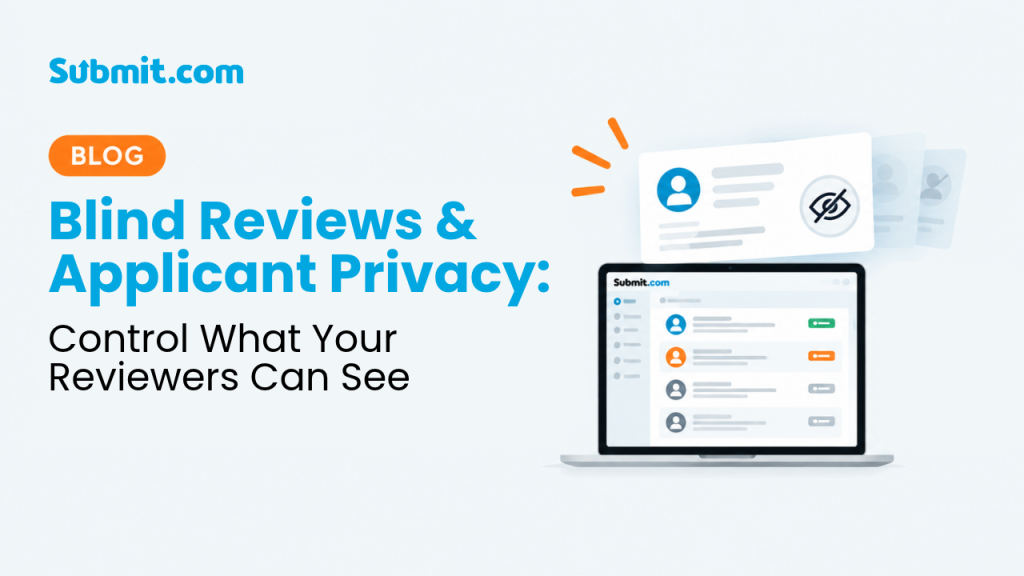
Give two or three real judges a login, including your least technical one. Check that each judge sees only their assigned entries, can score against your criteria without instructions from you, and can declare a conflict of interest. If you hide entrant identities, check exactly which details are hidden, including names inside uploaded documents. Our guide to blind reviews and applicant privacy covers the options in more depth.
The record behind each result
Pick one test entry. Ask the supplier to show its full history: submission date, scores, comments, changes (with who made each one) and the final approval. Then ask for that history as an export. This is the evidence you will need if an entrant, sponsor or board member questions a result. We explain what that record should contain in transparent awards judging for UK teams.
Changes in the middle of a cycle
Something always changes once entries are open. Ask the supplier to add a judge, move an entry to a different category and extend the deadline for one entrant while you watch. Find out whether your team can make these changes or whether each one needs a support request.
Communications and reporting
Check that you can message entrants by status, such as everyone shortlisted in one category, and that judges get reminders without you chasing them individually. Then produce the reports you listed in your map: entries by category, judging progress and the final shortlist and winners in a format your marketing team can use.
Data protection, security and procurement in the UK and Ireland
When an awards platform stores entries on your behalf, it is usually acting as a data processor, and the law requires a written contract with it. In the UK, the Information Commissioner’s Office says a written contract must be in place whenever a controller uses a processor, and lists the terms it must contain (Information Commissioner’s Office, contracts guidance). In Ireland, the Data Protection Commission states that all controllers who engage processors must enter into a data processing contract, with the provisions set by Article 28 of the General Data Protection Regulation (GDPR) (Data Protection Commission, controller and processor relationships).
In practice, that means asking each supplier:
- Will you sign a data processing agreement, and who are your sub-processors?
- Where is our data hosted, and can we set how long entries are kept and when they are deleted?
- Do you support multi-factor authentication and single sign-on for our staff and judges?
- Which independent security certifications do you hold, and can we see the certificates or reports rather than just the logos?
- How do your entrant and judge screens perform against the Web Content Accessibility Guidelines (WCAG) 2.2, and is there an accessibility statement listing known issues?
Software supports compliance but does not provide it. Your own settings, access rules, retention periods and privacy notice to entrants still decide whether your programme meets its obligations.
Public bodies have an extra step. In the UK, the Government Commercial Agency launched G-Cloud 15, the current version of its framework for buying cloud services, in August 2026 (GOV.UK, G-Cloud relaunches with biggest upgrade in its history). If you plan to buy through it, check that a supplier is listed on G-Cloud 15 specifically. In Ireland, ask your procurement team early which route applies, because it can affect your timetable.
Timing the switch
Choose a new system between cycles, not during one. Moving entries from one system to another part of the way through judging creates extra work and a gap in your records. Leave time to build your forms, test them with a few real judges and update the guidance you send to entrants before entries open.
Collect entries in the same system you will judge in. In 2019, The Next Web’s Innovation Program team collected applications for the Global Entrepreneurship Summit in a separate form tool, then moved them into Submit.com for judging: more than 5,500 applications from 140 countries, assessed by more than 50 external evaluators across five categories (Global Entrepreneurship Summit customer story). The team’s verdict afterwards:
“Looking back, it would have been easier if we started the process of registration and application via Submit, instead of transferring the information for evaluation to the platform manually as we did.”
Innovation Program Team, The Next Web
Questions to ask awards software suppliers
Use these questions alongside your programme map. The right-hand column describes what a convincing answer looks like.
On a small screen, scroll the table sideways to see all columns.
| Area | Ask the supplier | A convincing answer |
|---|---|---|
| Entry forms | Can an entrant save, return and finish on a phone? | A live demonstration on a phone using your own form fields. |
| Entry fees | How are fees collected, refunded and reconciled? | Payment taken within the entry, with records you can export. |
| Judging rounds | Can each round have its own judges, criteria and visibility rules? | Your own nomination, shortlist and final stages set up in the trial. |
| Conflicts of interest | How does a judge declare a conflict, and what happens next? | The entry leaves that judge’s queue and the declaration is recorded. |
| Blind judging | Which details can be hidden from judges, including in uploaded files? | Field-level control and a clear answer about attachments. |
| Audit trail | Show every action on one entry, from submission to result. | Timestamped scores, comments, changes and approvals that you can export. |
| Mid-cycle changes | Who adds a judge or extends one entrant’s deadline? | Your team can do it without raising a support request. |
| Data protection | Will you sign a data processing agreement, and who are your sub-processors? | A ready agreement and a current list of sub-processors. |
| Security evidence | Which certifications do you hold, and can we see them? | Current, independently issued certificates or reports. |
| Accessibility | How do entrant and judge screens perform against WCAG 2.2? | A conformance report or accessibility statement that lists known issues. |
| Support | Who helps us in deadline week, and how do we reach them? | Named contacts and response commitments written into the contract. |
| Leaving | How do we export all entries, scores and files if we move on? | A complete export in standard formats, at no surprise cost. |
The future of awards management: AI, with people still accountable
Suppliers are adding AI features for tasks such as checking eligibility, summarising long entries and suggesting scores. Some of these can save judges time. The risk is that an AI output quietly becomes the decision, and your programme can no longer explain how a winner was chosen.
If a supplier offers AI features, ask what each one does, which entry data it uses, whether you can switch it off, and whether its outputs are recorded alongside judges’ scores. Agree internally that named people remain responsible for every result, and check any use of entrants’ personal data with your data protection lead. Our article on AI governance in funding decisions sets out a framework written for grant programmes that applies equally to awards judging.
If you are comparing named platforms, our separate guide to the best awards management software for UK programmes covers that question.
How Submit.com handles awards
Submit.com is an awards, grants and scholarship management platform based in Cork, Ireland. For awards, it covers the areas in the checklist above:
- Rounds: separate phases for nominations, shortlisting, judging and voting, each with its own rules and permissions.
- Judging: automatic assignment of entries to panels by category or tag, custom and weighted scoring criteria, side-by-side comparison, blind or anonymous review, and conflict-of-interest controls.
- Entrants: branded, mobile-friendly forms with autosave and progress tracking, plus entry fee payments powered by Stripe.
- Communications: automated confirmations, reminders and decision emails, and bulk messages by status or tag.
- Reporting: dashboards and exports by programme, category, panel or round.
- Security: encryption in transit and at rest, multi-factor authentication, audit trails, configurable data retention and Cyber Essentials certification. Details are on our security and compliance page.
- UK public sector buying: Submit.com is listed on G-Cloud 15 under Lot 2b, Software as a Service, with service ID 973259898222054 (Digital Marketplace listing). The listing states that customer data is stored and processed in the European Economic Area, and declares WCAG 2.2 AA as the accessibility standard for the service interface.
- Languages: entrant-facing forms in English, Irish, Welsh, French, German, Spanish, Italian and Polish. See how Submit.com localisation works.
Some features depend on your plan, so check the pricing page or ask us during a demo.
Two published customer stories show how this works in practice. Chambers Ireland runs three awards programmes on Submit.com, including the Excellence in Local Government Awards, and its volunteer judges now score online instead of working through printed folders. Its events team had worried about less technical judges, including retired executives, but reported that only one or two needed a walk-through. For the Global Entrepreneurship Summit, The Next Web gave each category’s judges access to their own folder of entries, which the team said prevented any mismatch in votes. That story also records two problems the team reported during judging, a page refresh while scoring and mismatched rows in one export, and that both were fixed within two days.
Frequently asked questions
How much does awards management software cost?
Prices vary by supplier, plan and programme size, so compare the total cost rather than the headline licence fee. Include set-up and training, support during your deadline period, any payment processing charges on entry fees, and the cost of adding programmes later. Submit.com offers Starter, Pro and Enterprise plans, listed on the pricing page.
Can one system run several awards programmes?
Most dedicated platforms can, but check how separate each programme stays: its own forms, judges, criteria, branding and reports. Chambers Ireland, for example, manages three separate awards on Submit.com.
Can awards software handle public voting as well as judging?
Many platforms support a voting round, but ask how votes are verified and whether voting and judges’ scores are kept separate in your results. In Submit.com, voting can be set up as its own phase with its own rules and permissions.
See your own programme in Submit.com
Bring your programme map to a demo. We will show your categories, rounds and scoring set up in Submit.com, and answer the questions in the checklist above.




0 Comments